
Document Control
Keep controlled documents accurate, approved, and traceable with versioning, permissions, and lifecycle rules.
Klyck manages document revisions, approvals, and access so teams always know which version is trusted and why.

Version Tracking & Rollback

Role-Based Permissions

Controlled Review Workflows

Audit-Ready Document History
Draft → Review → Control → Prove
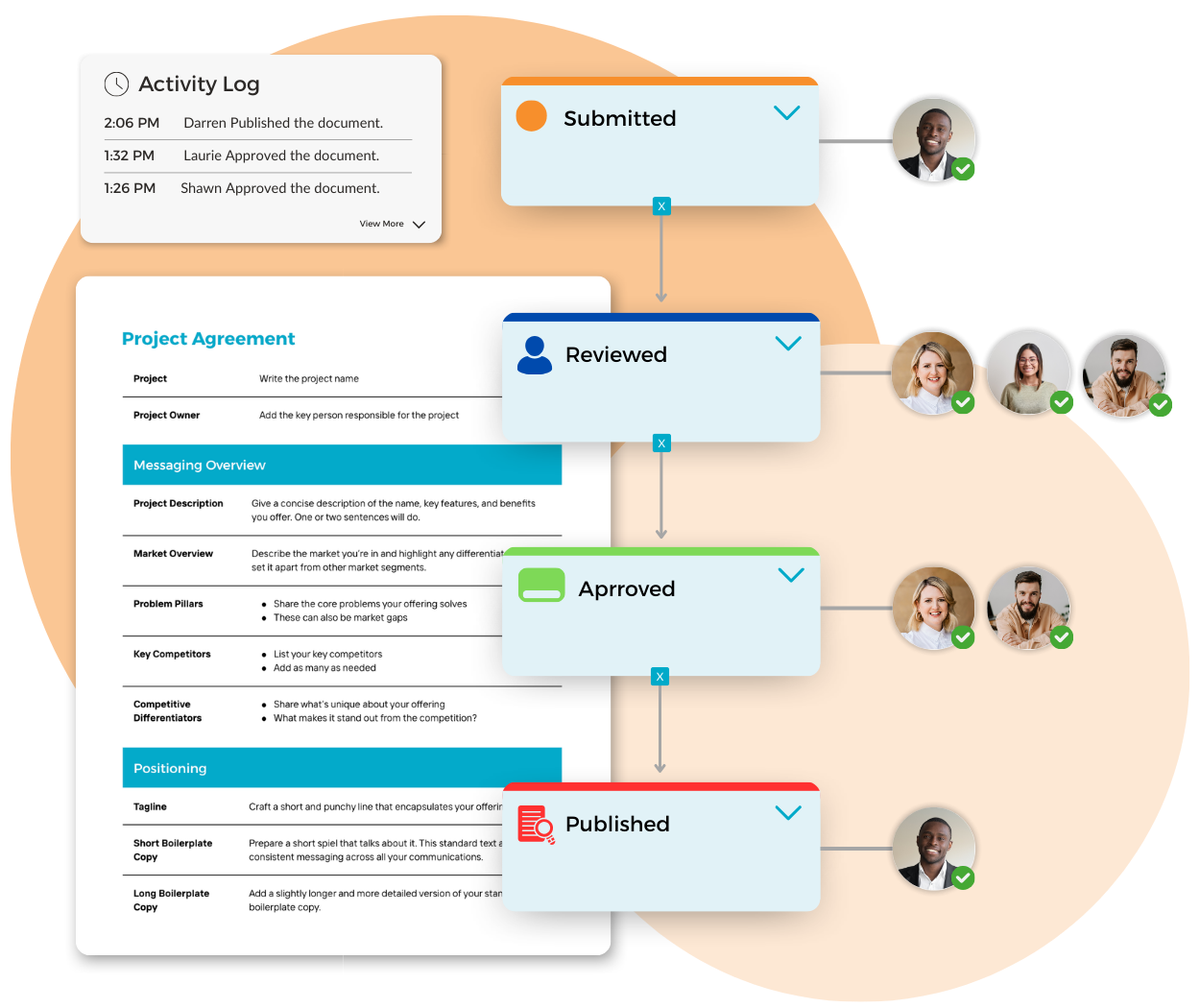
Draft
Create and update documents inside a controlled system, not scattered copies.
Review
Route documents through defined reviewers and approvers before release.
Control
Apply permissions, version rules, and lifecycle controls so the right version stays in use.
Prove
Maintain a complete audit-ready history of revisions, approvals, and access.
This is what makes Klyck document control: a system of record for governed documents, not just storage.
Start With the Controlled Document Process You’re Replacing
Policies & Procedure Reviews
Draft
↓
Review
↓
Approval
↓
Published Policy

SOP / Work Instruction Updates
Revision
↓
Review
↓
Approval
↓
Version Record

Quality Document Control
Draft
↓
Review
↓
Compliance Check
↓
Approved Record

Change Control Requests
Change Request
↓
Review
↓
Approval
↓
Audit Record
Built on Primitives Every Controlled Document System Needs
Klyck manages document control using reusable building blocks, so governance stays consistent across teams and workflows.
Version Control
Lifecycle States
Revision History
Audit Logs
Approval Workflows
Notifications
Permissions & Roles
Integrations
We avoid rigid document systems built around one process.
Flexible primitives allow document control to scale across departments.
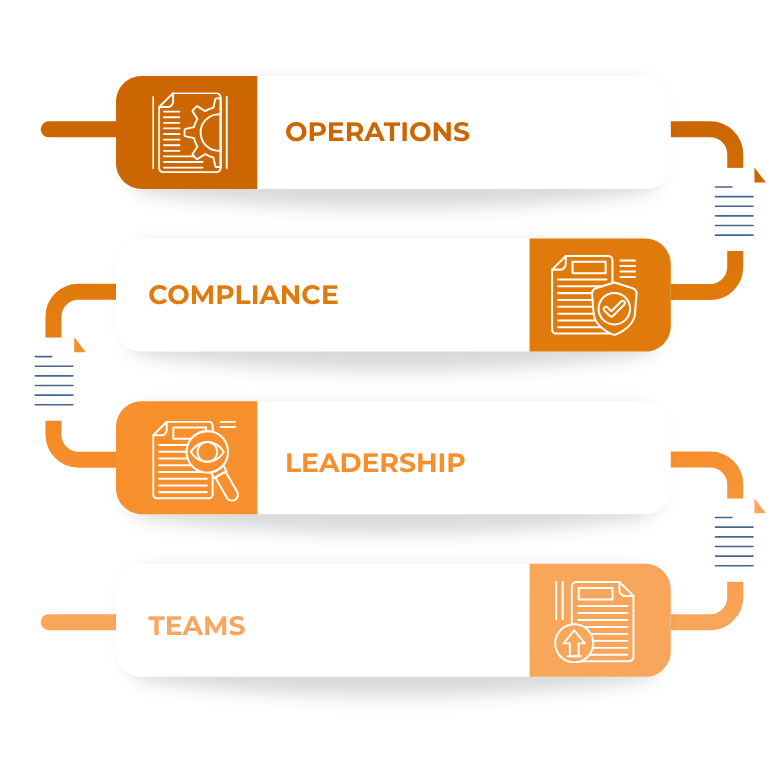
Controlled Documents Don't Stay in One Team
Documents are drafted by one team, reviewed by another, and approved by leadership or compliance.
Klyck keeps revisions, approvals, and published versions visible across departments.
Reuse document templates and approval patterns across departments
New teams adopt governance faster because the structure already exists
Proof Through Operational Document Workflows
Organizations rely on Klyck to manage controlled documents that require revisions, approvals, and traceable history.
These workflows stay used because they carry real operational responsibility.
Policy Updates
Draft → Review → Approval → Published Policy
Departments Involved:
Operations → Compliance → Leadership
SOP Revisions
Document Change → Approval → Version Record
Departments Involved:
Operations → Quality → Compliance
Quality Documentation
Revision → Review → Compliance Record
Departments Involved:
Quality → Compliance → Operations
Controlled Documents Break When Governance is Manual
Policies and procedures often require revisions, approvals, and traceable history.
Shared drives store files, but they don’t manage document governance.
Klyck manages controlled documents as operational records, with versioning, approvals and audit history built in.
Good Fit
A document management system of record for controlled documents, approvals, permissions, and compliance history.
Not a Fit
A shared drive.
A basic document repository.
File storage with manual review steps.
Document Control Must be Reliable
Teams lose trust in document systems that allow uncontrolled revisions or missing approvals.
Klyck ensures document governance remains predictable and traceable.
Predictable version control behaviour
Structured review and approval workflows
Traceable document revision history
Document Control is how Governed Documents Stay Current and Provable
- R
A document management system of record for controlled documents, approvals, permissions and audit history.
- Q
A standalone form builder.
A ticketing tool masquerading as intake.
File storage with a few fields.
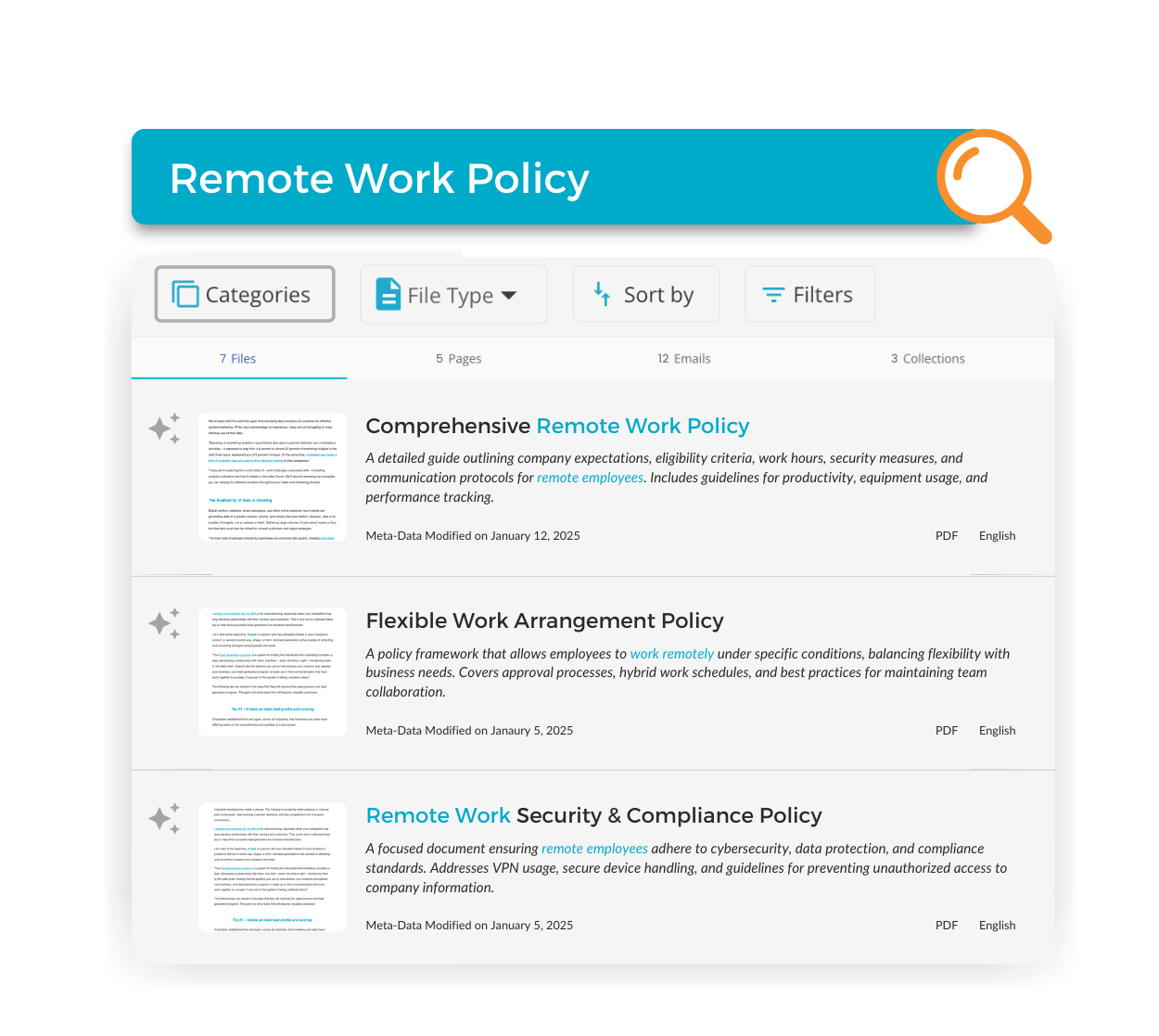
Bring one controlled document process. We’ll map it live.
If your documents require approvals, revisions, or compliance evidence, we’ll show you how Klyck manages document control using your real process.
Trusted by Modern Teams
Want to see Klyck in action?
Book a personalized walkthrough and see how Klyck captures, routes, controls, and proves your document workflows across every department.