Klyck.io Blog
Articles, news, tips, tricks and trends
Knowledge Management
Team collaboration
Project Management
Note-Taking management
Sales Enablement
Content Management
How to Streamline Content Management and Workflow Automation for 2026
December 1st, 2025
A new year is the perfect moment for teams to reset the systems that support their work. And for most organizations, the biggest gains come from improving three core areas: content management, workflows, and automation.
Heading into 2026, teams that invest in organized content, connected tools, and automated processes will move faster, waste less time, and reduce the hidden friction that slows projects down.
Here’s where to focus.
1. Centralize Your Content for Better Document Management
Scattered files create confusion. Outdated folders bury the latest versions. Searching becomes guesswork.
A modern content management system should bring everything into one centralized workspace with:
-
AI-powered search
-
Smart metadata and tagging
-
Version control
-
Clean, repeatable structure
Centralized content isn’t just easier to find, it becomes the foundation for efficient workflows and better decisions.
2. Automate the Processes That Drain Time
Many teams spend hours a week on manual steps: approvals, follow-ups, handoffs, reminders, and status updates. This slows everything down.
With the right workflow automation platform, teams can:
-
Route approvals automatically
-
Trigger reminders without manual effort
-
Standardize recurring processes
-
Reduce inconsistent or incomplete steps
Automation frees teams from repetitive admin work so they can stay focused on higher-value tasks.
3. Bring Content and Workflows Into One System
Most teams use one tool for documents, another for communication, another for tasks, and another for automation. The result is fragmentation and friction.
Heading into the new year, look for a system that unifies:
-
Content management
-
Document workflows
-
Automation
-
Collaboration
When everything lives in one platform, information flows naturally, decisions come faster, and teams stay aligned.
4. Strengthen Data, Visibility, and Control
Good systems don’t just store content — they show how well it’s working.
Teams should look for tools that offer:
-
Content usage analytics
-
Workflow performance tracking
-
Efficient document routing
-
Permission-based access
-
Audit trails and version history
This level of visibility helps teams improve processes, eliminate bottlenecks, and build better habits across the organization.
5. Clean Up Your Current Content Before Scaling Up
A new year is a great opportunity to remove clutter and improve structure. Consider:
-
Archiving outdated documents
-
Cleaning up naming conventions
-
Refreshing metadata
-
Simplifying folder structures
-
Streamlining complex workflows
A small amount of cleanup now creates a massive boost in clarity and efficiency later.
6. Choose Tools Your Team Will Actually Use
The most powerful features are useless if the system is too complicated. Adoption matters more than anything.
Teams heading into 2026 should look for simple, intuitive, high-adoption tools that make content management easier, not harder.
Platforms like Klyck are built around this principle:
centralized content management, fast search, structured metadata, workflow automation, and clean collaboration, all in one workspace.
Start 2026 With Better Content Management and Workflow Automation
Teams with clear content, efficient workflows, and automated processes will enter 2026 with a major advantage. Less time searching. Fewer manual steps. Better alignment. Faster decisions. A smoother workday.
If your organization is preparing for a more organized, more efficient year, this is the right place to begin.
Ready to streamline your content and workflows for 2026?
Book a demo to see how Klyck can help: Book a demo
RECENT ARTICLES
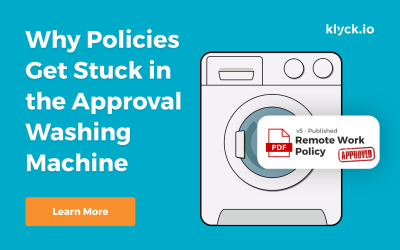
Why Policies Get Stuck in the Approval Washing Machine
Someone writes a new policy and it goes to several people for review. One responds immediately. Another sends comments two weeks later. Someone forwards it to another manager who wasn’t originally involved.
Your ERP Runs the Transactions. Who Runs the Work Between Them?
Industry InsightsSome of the biggest operational gaps in manufacturing exist between systems, departments, documents, and people.Published on September 30th, 2026Manufacturers have invested heavily in technology. Enterprise resource planning (ERP) systems manage...
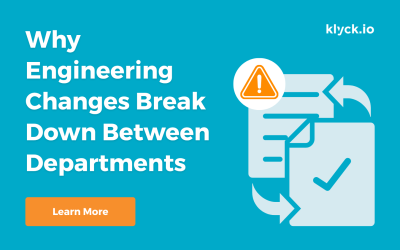
Why Engineering Changes Break Down Between Departments
Industry InsightsThe engineering is often the easy part. The handoffs are where things get complicated.Published on September 18th, 2026An engineering change can look deceptively simple. Change a component. Update a drawing. Get an approval. Release the new revision....

Manufacturers Have Optimized the Shop Floor
Manufacturers have spent decades improving the shop floor. Lean manufacturing, Six Sigma, automation, ERP, MES, quality systems and continuous improvement programs have transformed how production is managed. Processes are mapped. Standards are established. Cycle times are measured. Bottlenecks are identified. KPIs tell leaders whether performance is improving or slipping. Walk into a well-run manufacturing facility and there is a good chance the organization can tell you exactly what is happening on the production floor.
Your ERP Isn’t Broken. It Just Doesn’t Run the Whole Process.
ERP systems are very good at managing transactions. The problem is that many of your most important operational processes don’t begin and end inside the ERP.
You Have More Software Than Ever. Why Are the Same Operational Problems Still Here?
Manufacturers have invested heavily in ERP, MES, QMS, collaboration tools and automation. Yet spreadsheets, manual workarounds, tribal knowledge and disconnected processes remain everywhere. Why?
Actionable tips, tricks and trends