Control Policies, Procedures & Compliance Across Your Organization

Managing policies across locations, departments, roles, and regulatory requirements should not depend on SharePoint folders, email reminders, or manual follow-up.

Klyck app interface showing behavioural health form with search tool and real-time document activity

Policy Governance Control

One controlled system of record for every policy, procedure, and compliance requirement

Version Control & History

Always know which version is current and maintain a complete history of every change.

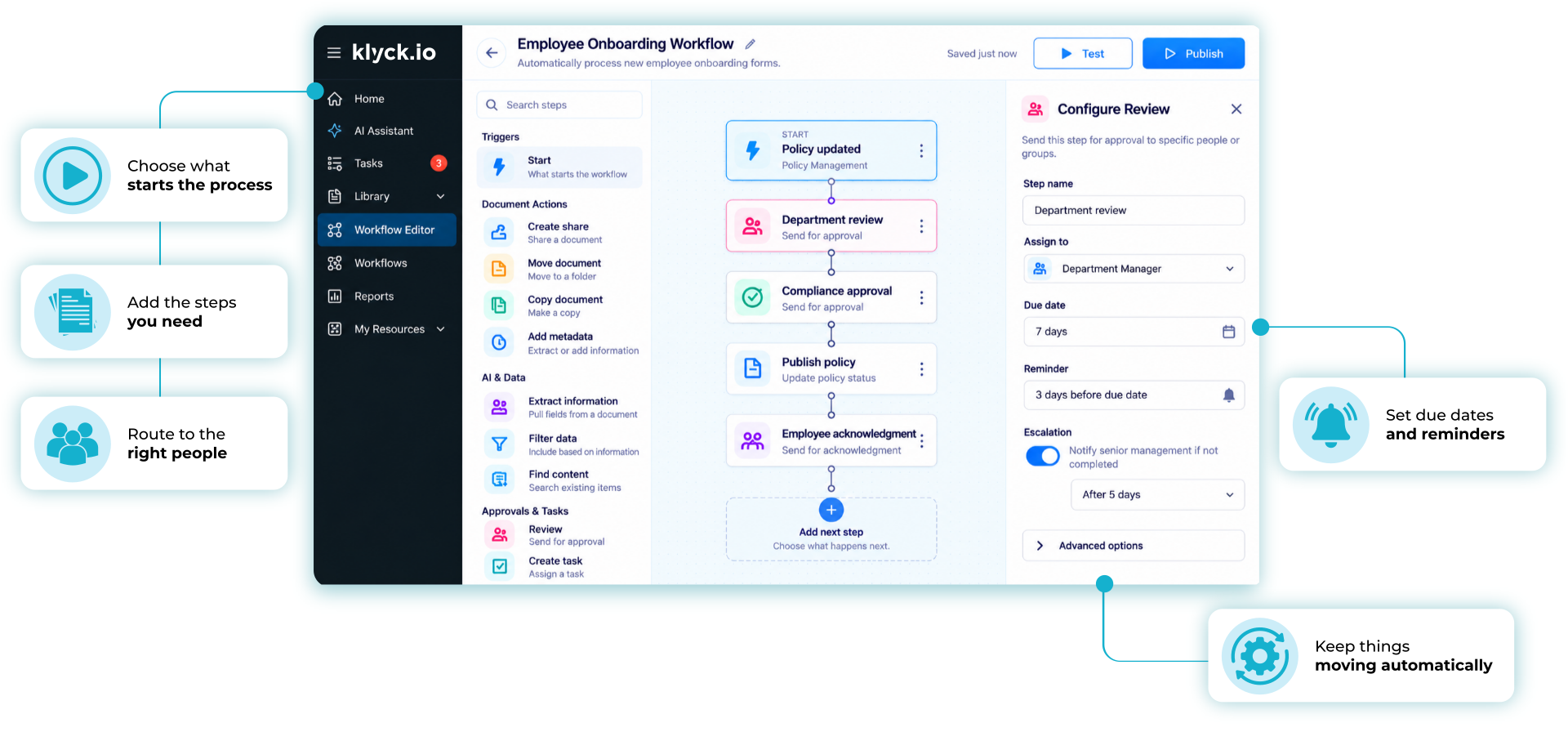
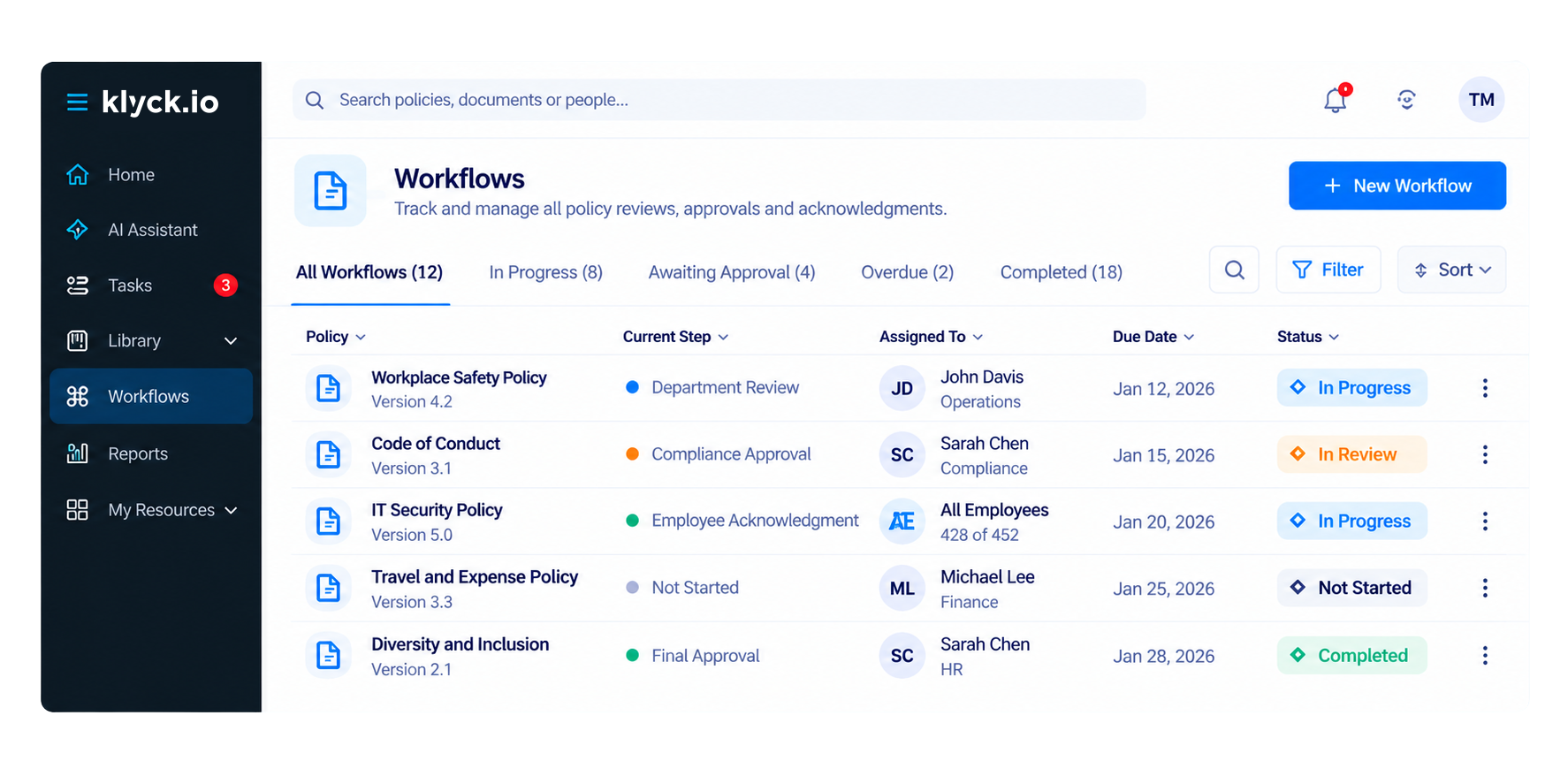
Review & Approval Workflows

Route policies to the right reviewers and track every sign-off through a structured process

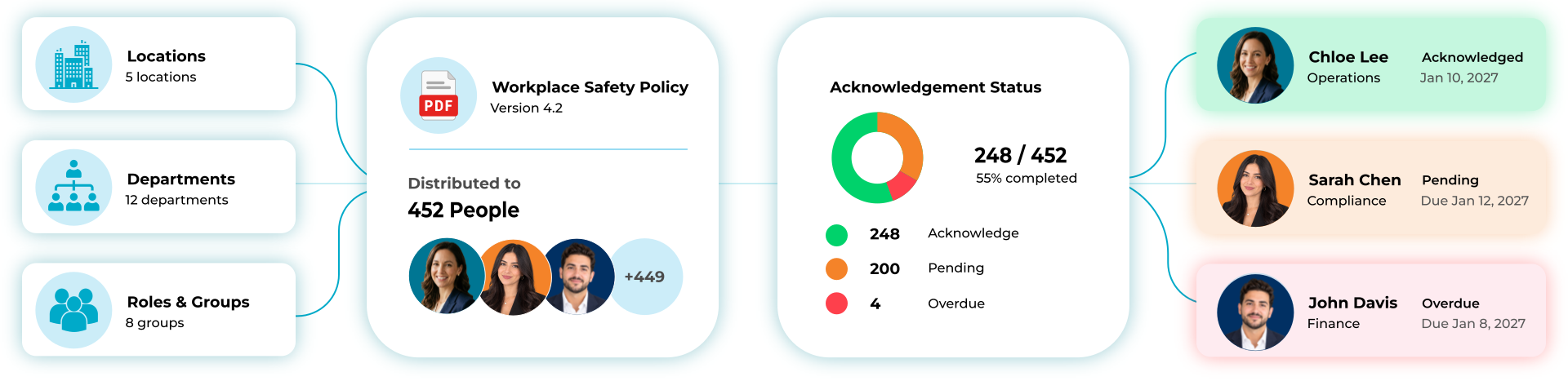
Employee Acknowledgments

Collect employee acknowledgments automatically and maintain a full compliance record.

One Process. From Creation to Compliance.

Policy management becomes a controlled business process instead of a collection of folders, spreadsheets, and email chains.

1. Create

A new policy, procedure, or update enters the system through a form, upload, policy request, or administrator submission.

2. Review

Route policies to the appropriate reviewers based on department, role, location, level of care, or business unit.

3. Approve

Track approvals, comments, ownership, and required sign-offs through a structured workflow.

4. Publish

Release approved policies to the appropriate employees, departments, locations, or facilities.

5. Acknowledge

Collect employee acknowledgments automatically and maintain a complete compliance record.

Start With The Policy Process You’re Replacing

Policy Review & Approvals

Policy Update
Department Review
Compliance Approval
Published Version

Procedure Management

Procedure Draft
Compliance Review
Approval
Current Record

Employee Policy Acknowledgments

Policy Published
Employee Notification
Acknowledgment Collected
Audit Record

Compliance Reviews

Review Due
Owner Assigned
Approval
Compliance Evidence

Built On The Core Components Every Policy Process Needs

Klyck standardizes policy management using reusable building blocks that scale across departments, facilities, and locations.

Workflow States

Track every policy from first draft through to final publication.

h

Audit Logs

Track every action, approval, and change in a complete record.

Notifications & Reminders

Reduce manual follow-up and ensure no review deadline is missed.

Version Control

Maintain current and historical versions across every department.

~

Permissions & Roles

Control policy access by location, department, and assigned role.

Integrations

Connect HR, LMS, SSO, and business systems into one process.

Review & Approval Routing

Automate policy reviews and sign-offs through structured workflows.

Structured Forms

Capture every policy request and review in a consistent format.

Employee Acknowledgments

Track who has reviewed and accepted every policy automatically.

Instead of creating custom processes for every department, Klyck provides reusable building blocks that standardize policy governance across the organization.

Policies Rarely Apply To Everyone The Same Way

Most Organizations Manage Policies Across:

Locations · Departments · Roles · Business Units · Levels of Care · Regulatory Requirements

Klyck helps organizations ensure the right people see the right version of the right policy at the right time.

Reuse policy templates across departments

Standardize governance across facilities

Structure access by role, location, or department

Scale without increasing complexity

Proof Through Real Policy Workflows

Organizations rely on Klyck to manage controlled policy and procedure processes that require accountability, compliance, and visibility.

Policy Review

Draft → Review → Approval → Published Record

Departments Involved:

Operations → Compliance → HR → Leadership

Procedure Updates

Update Request → Review → Approval → Current Version

Departments Involved:

Operations → Compliance

Employee Acknowledgments

Publish → Notify → Acknowledge → Audit Record

Departments Involved:

HR → Department Managers → All Staff

Compliance Reviews

Review Due → Owner Assigned → Approval → Evidence Captured

Departments Involved:

Compliance → Operations → Leadership

Most Policy Management Breaks Outside The System

When policies live across SharePoint folders, email attachments, network drives, and disconnected systems, organizations lose visibility into:

• Current versions

• Ownership

• Review status

• Compliance obligations

• Employee acknowledgments

Klyck centralizes policy governance into one controlled system of record.

Good Fit

• Policy & Procedure Management

• Policy Review & Approval Workflows

• Employee Acknowledgments

• Compliance Tracking

• Multi-Location Policy Governance

• Audit-Ready Reporting

• Controlled Document Lifecycles

• Role-Based Policy Access

Not a Fit

• Basic File Storage

• One-Off Document Sharing

• Uncontrolled Shared Drives

• Static Document Repositories


Policy Governance Must Be Predictable

When policies support compliance, operations, accreditation, healthcare standards, or regulatory requirements, organizations need confidence that every policy follows the proper process.

One approved version of every policy

Complete visibility into review status

Role-based distribution and access

Automated review reminders

Full audit history

Compliance reporting and dashboards

Why Use Klyck For Policy Management?

Centralized Policy Record

Eliminate policy silos and version confusion across every department.

~

Role-Based Policy Access

Control policy visibility by department, role, location, or business unit.

Automated Review Workflows

Route reviews, approvals, and updates automatically without manual follow-up.

Version Control & History

Keep complete policy history and ensure only approved versions are in use.

Employee Acknowledgments

Track who has reviewed and accepted every policy across the organization.

Fast Adoption & Onboarding

Intuitive design requiring minimal training across departments and locations.

R

Compliance & Audit Readiness

Maintain evidence for audits, accreditation, and regulatory reviews automatically.

f

Flexible Policy Configuration

Adapt policy governance to match exactly how your organization operates.

Policy Management Is Part Of Operational Control

  • R
A system of record for policies, procedures, approvals, acknowledgments, workflows, and compliance evidence.


  • Q
A shared drive
An email-based approval process
A simple file storage solution
A disconnected task management tool

Still Using SharePoint For Policy Management?

SharePoint can store documents. Policy governance requires much more.

Klyck helps organizations control the entire policy lifecycle, from creation and review to approval, publication, acknowledgment, reporting, and audit readiness.

Move beyond document storage and gain operational control of your policies and procedures.

Logo 1 Logo 2 Logo 3 Logo 4 Logo 5 Logo 6 Logo 7 Customer Logo

Trusted by Modern Teams

Voted #1 for Ease of Use and Support

“It has definitely been much more efficient having our reps utilize Klyck and they use it more than our older model.

– Nick A.

Sales Representative at PING

Voted #1 for Ease of Use and Support

“Klyck is a really great tool offering efficiency and simplicity for customer communications.”

– Darren Hodson

Managing Director WAGO U.K. & Ireland

Voted #1 for Ease of Use and Support

“Klyck.io makes it easier for teams to organize and access your sales content, saving you time and effort.

– Curtis C.

Partnership Manager

Voted #1 for Ease of Use and Support

“Klyck has boosted our content management and collaboration! With real-time connections and user-friendly templates, we save time for growth.

– Matthew M.

Consulting Manager

Voted #1 for Ease of Use and Support

“Klyck’s user-friendly interface and advanced search filters streamline collaboration, enabling real-time updates and significantly boosting workflow efficiency.

– Ethan H.

Sales Manager

Want to see Klyck in action?

Book a personalized walkthrough and see how Klyck captures, routes, controls, and proves policy compliance across your organization.