
Klyck.io Blog
Articles, news, tips, tricks and trends
Knowledge Management
Team collaboration
Project Management
Note-Taking management
Sales Enablement
Content Management
How to Replace Laserfiche: A Practical Guide for Modern ECM Teams
For many organizations, Laserfiche has served as a long-standing enterprise content management (ECM) system.
But as document workflows become more dynamic and business users expect intuitive, modern tools, many teams begin evaluating alternatives to Laserfiche.
If you’re considering replacing Laserfiche, this guide will walk through:
- Why organizations switch
- What happens to existing workflows
- How document migration works
- What to expect from implementation
- How pricing structures compare
- What to look for in a modern ECM platform
Why Organizations Start Looking for a Laserfiche Alternative
Laserfiche reflects an earlier generation of enterprise ECM architecture — one built around structured repositories, administrative configuration, and IT-driven control.
As digital operations evolve, organizations often seek:
- Faster deployment
- Reduced administrative overhead
- Modern, intuitive navigation
- Workflow-first architecture
- Transparent pricing models
Common friction points that trigger evaluation include:
- Complex workflow configuration
- Heavy reliance on IT resources
- Static, hierarchy-driven repository structures
- Slower performance as repositories scale
- Licensing models that are difficult to forecast
For mid-market teams especially, usability and predictability matter more than configurability alone.
What Happens to Your Existing Laserfiche Workflows?
This is the most common concern when replacing Laserfiche.
The short answer: your workflows do not disappear.
Modern ECM platforms like Klyck support structured migration through a one-to-one workflow mapping process.
During migration:
- Existing routing logic is analyzed
- Approval chains are recreated
- Document states are preserved
- Metadata and permissions are mapped
- Workflow inefficiencies are streamlined
Rather than starting over, most organizations use migration as an opportunity to simplify overly complex configurations.
If you’re evaluating a Laserfiche competitor, ask specifically:
- Do you support one-to-one workflow mapping?
- Is migration included in implementation?
- How is metadata handled?
- Will there be downtime?
These answers matter more than feature lists.
How Document and Metadata Migration Works
Replacing Laserfiche typically includes three core components:
1. Document Transfer
Files are exported and restructured into the new platform.
2. Metadata Mapping
Fields and indexing structures are translated to ensure continuity in search and filtering.
3. Permission & Access Controls
Role-based permissions are recreated in alignment with the new system’s architecture.
The key is ensuring migration does not disrupt daily operations.
Modern cloud-based ECM systems are designed to support phased transitions, allowing teams to migrate without operational downtime.
Comparing Laserfiche Pricing vs. Modern Alternatives
Laserfiche pricing structures often include:
- Tiered licensing
- Module-based add-ons
- Upgrade-related costs
- Implementation services
Modern ECM alternatives increasingly favor:
- Transparent subscription pricing
- All-in-one workflow capabilities
- Cloud-native updates
- Predictable monthly or annual costs
When evaluating Laserfiche pricing against alternatives, consider total cost of ownership — not just licensing.
What to Look for in a Modern Laserfiche Replacement
If you’re replacing Laserfiche, prioritize:
Workflow-First Design
Workflows should be visual and easy to configure; not dependent on rule scripting.
Dynamic Discovery
Search should include AI-assisted tagging and dynamic filtering, not just folder navigation.
Cloud-Native Architecture
Updates should be seamless and without version coordination.
Business-User Ownership
Operational teams should manage workflows without heavy IT reliance.
Transparent Pricing
Avoid layered modules and unpredictable licensing models.
Laserfiche vs. Modern ECM Platforms
If you’re early in the evaluation process, it helps to review a structured comparison.
You can see a full breakdown here: Laserfiche vs Klyck: Side-by-Side Comparison
Final Thoughts: Replacing Laserfiche Doesn’t Have to Be Disruptive
Switching ECM platforms can feel risky, but with structured workflow mapping and guided migration, it becomes a modernization process rather than a reset.
Organizations replacing Laserfiche today are typically seeking:
- Simpler workflow automation
- Faster time to value
- Modern user experience
- Predictable pricing
- Reduced administrative complexity
If those priorities resonate, it may be time to evaluate a modern Laserfiche alternative built for documents in motion.
RECENT ARTICLES
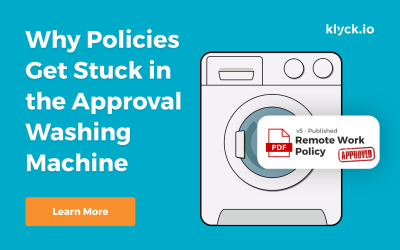
Why Policies Get Stuck in the Approval Washing Machine
Someone writes a new policy and it goes to several people for review. One responds immediately. Another sends comments two weeks later. Someone forwards it to another manager who wasn’t originally involved.

Your ERP Runs the Transactions. Who Runs the Work Between Them?
Industry InsightsSome of the biggest operational gaps in manufacturing exist between systems, departments, documents, and people.Published on September 30th, 2026Manufacturers have invested heavily in technology. Enterprise resource planning (ERP) systems manage...
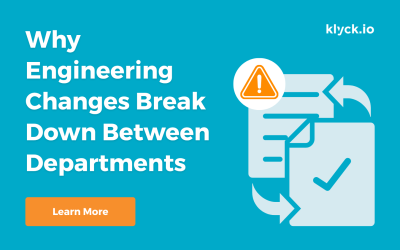
Why Engineering Changes Break Down Between Departments
Industry InsightsThe engineering is often the easy part. The handoffs are where things get complicated.Published on September 18th, 2026An engineering change can look deceptively simple. Change a component. Update a drawing. Get an approval. Release the new revision....
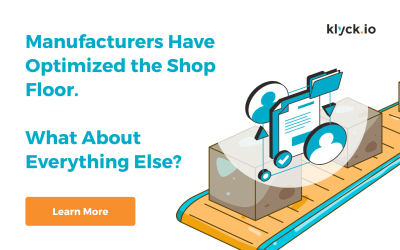
Manufacturers Have Optimized the Shop Floor
Manufacturers have spent decades improving the shop floor. Lean manufacturing, Six Sigma, automation, ERP, MES, quality systems and continuous improvement programs have transformed how production is managed. Processes are mapped. Standards are established. Cycle times are measured. Bottlenecks are identified. KPIs tell leaders whether performance is improving or slipping. Walk into a well-run manufacturing facility and there is a good chance the organization can tell you exactly what is happening on the production floor.
Your ERP Isn’t Broken. It Just Doesn’t Run the Whole Process.
ERP systems are very good at managing transactions. The problem is that many of your most important operational processes don’t begin and end inside the ERP.
You Have More Software Than Ever. Why Are the Same Operational Problems Still Here?
Manufacturers have invested heavily in ERP, MES, QMS, collaboration tools and automation. Yet spreadsheets, manual workarounds, tribal knowledge and disconnected processes remain everywhere. Why?
Actionable tips, tricks and trends